Ages 12-13 · Technology · Mechanisms
Mechanisms and Simple Machines
A bike, a clock, a crane or a pencil sharpener: they all hide mechanisms that transmit or transform motion. Here you will learn to recognize levers, pulleys, gears, rack and pinion and crank and slider, and to work out the gear ratio, with 3D simulators to watch them in action.
What is a mechanism?
A mechanism is a set of parts that transmits or transforms motion from a driver (the part that provides the force) to a driven part (the one that receives the motion), usually so that a job can be done with less effort. You pedal (driver) and the chain turns the wheel (driven): that is a mechanism.
Mechanisms fall into two big families, depending on what they do with motion:
- Transmission: the motion does not change type (rotation to rotation). Examples: gears, pulleys with a belt.
- Transformation: the motion changes type (rotation to linear motion, or the other way round). Examples: rack and pinion, crank and slider.
Simple machines
Before complex machines come simple machines: basic devices that multiply a force or change its direction. The three basic ones are:
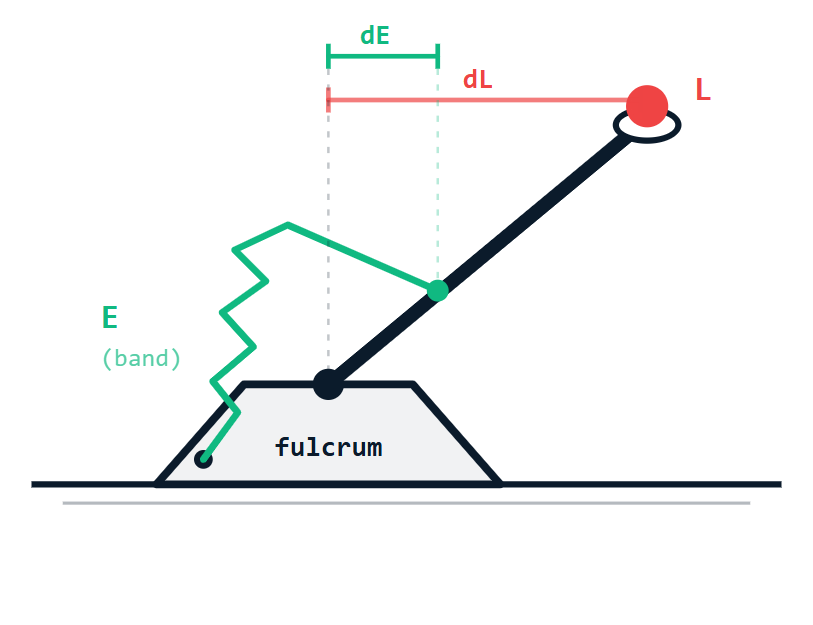
- The lever: a rigid bar that turns around a fixed point (the fulcrum). Depending on where the fulcrum, the effort and the load are, there are three classes of lever.
- The wheel and axle: like a steering wheel or a doorknob; turning the big wheel a long way moves the axle a little, with a lot of force.
- The inclined plane: a ramp lets you raise a load with less force, in exchange for moving it a longer distance.
A lever follows the law of the lever: the effort times its distance from the fulcrum (its «arm») equals the load times its own arm. That is why a long lever lets you lift something heavy with little effort.
You can also open it full screen on its own page: lever simulator.
Quick exercise
On a playground seesaw, the fulcrum is in the middle, between the two people. What class of lever is it?
Transmission mechanisms
They transmit rotation from one shaft to another without changing the type of motion:
- Gears: two toothed wheels that mesh. They turn in opposite directions and can change the speed and the force, depending on their teeth.
- Pulleys with a belt (or chain): two wheels linked by a belt. They transmit rotation over a distance and in the same direction (with a chain, as on a bike).
- Friction wheels: two smooth wheels that touch; simple, but they can slip.
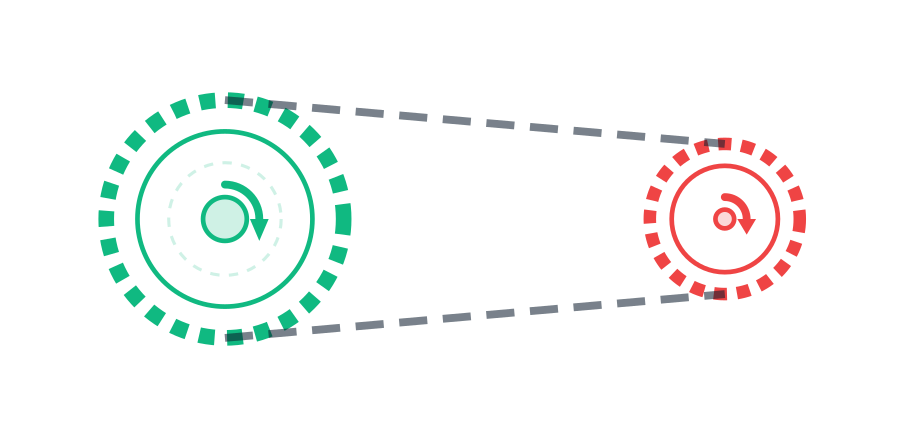
In a belt or chain drive, the driver wheel pulls the driven wheel round from a distance. If the driven wheel is bigger, it turns more slowly but with more force: that is what happens when you change gear on a bike.
More to try: the gear simulator on its own page, the belt and pulley simulator and, to go further, the gear train simulator.
Transformation mechanisms
They change the type of motion, usually from rotary to linear or the other way round:
- Rack and pinion: a gear (the pinion) meshes with a toothed bar (the rack). The rotation of the pinion becomes a straight-line movement of the rack. It is used in car steering.
- Crank and slider: turns the rotation of a crank into a back-and-forth straight-line motion (and the other way round). It is the heart of the combustion engine: the piston goes up and down and the crankshaft turns.
- Screw and nut: when the screw turns, the nut moves in a straight line. A lot of force, little movement (a car jack).
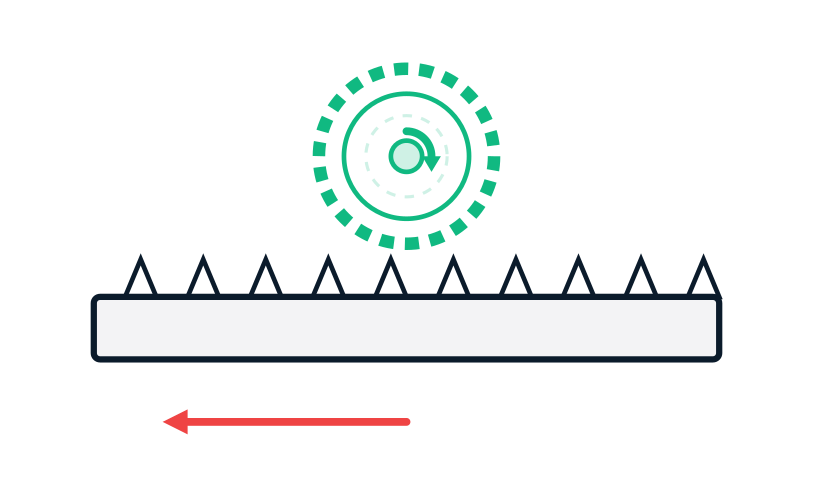
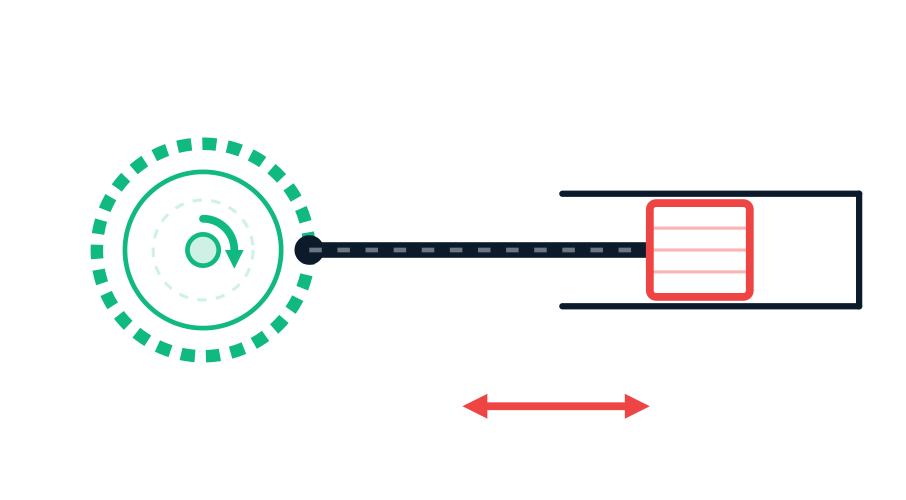
On their own pages: the crank and slider simulator and the rack and pinion simulator.
The gear ratio
When two wheels (gears or pulleys) are connected, the gear ratio tells you how much the speed changes. You work it out by dividing the teeth (or the diameter) of the driven wheel by those of the driver:
Formula
i = teeth of the driven gear ÷ teeth of the driver gear. If i > 1 the system reduces the speed (and increases the force); if i < 1 it increases the speed (and loses force).
Work it out
A driver pinion with 10 teeth turns a driven gear with 40 teeth. What is the gear ratio?
The project: Catapult League
A catapult is a lever in action. In the final project of the unit you build your own, work out where to put the fulcrum to launch further and compete with your classmates, using everything you have learned about levers and forces.
Frequently asked questions
What is a mechanism?
It is a set of parts that transmits or transforms motion from a driver to a driven part, usually so that a job can be done with less effort.
What is the difference between transmitting and transforming motion?
Transmitting keeps the type of motion (rotation to rotation, like two gears). Transforming changes it (rotation to linear motion, like a rack and pinion).
How do you work out the gear ratio?
You divide the number of teeth (or the diameter) of the driven wheel by that of the driver. If it is greater than 1 it reduces the speed; if it is less than 1, it increases it.
What is a pulley for?
A fixed pulley changes the direction of the force (you pull down to lift something up). A movable pulley or a block and tackle lets you lift a load with less effort.
Open the complete interactive unit
The 4 3D simulators, self-marking exercises, the review and the «Catapult League» project. It opens full screen.
Open the interactive unit →